Managing your event
Learn how to open your event editor and use the numbered steps to update your event details, RSVP form, design, guest list and sharing options.
Open your event editor
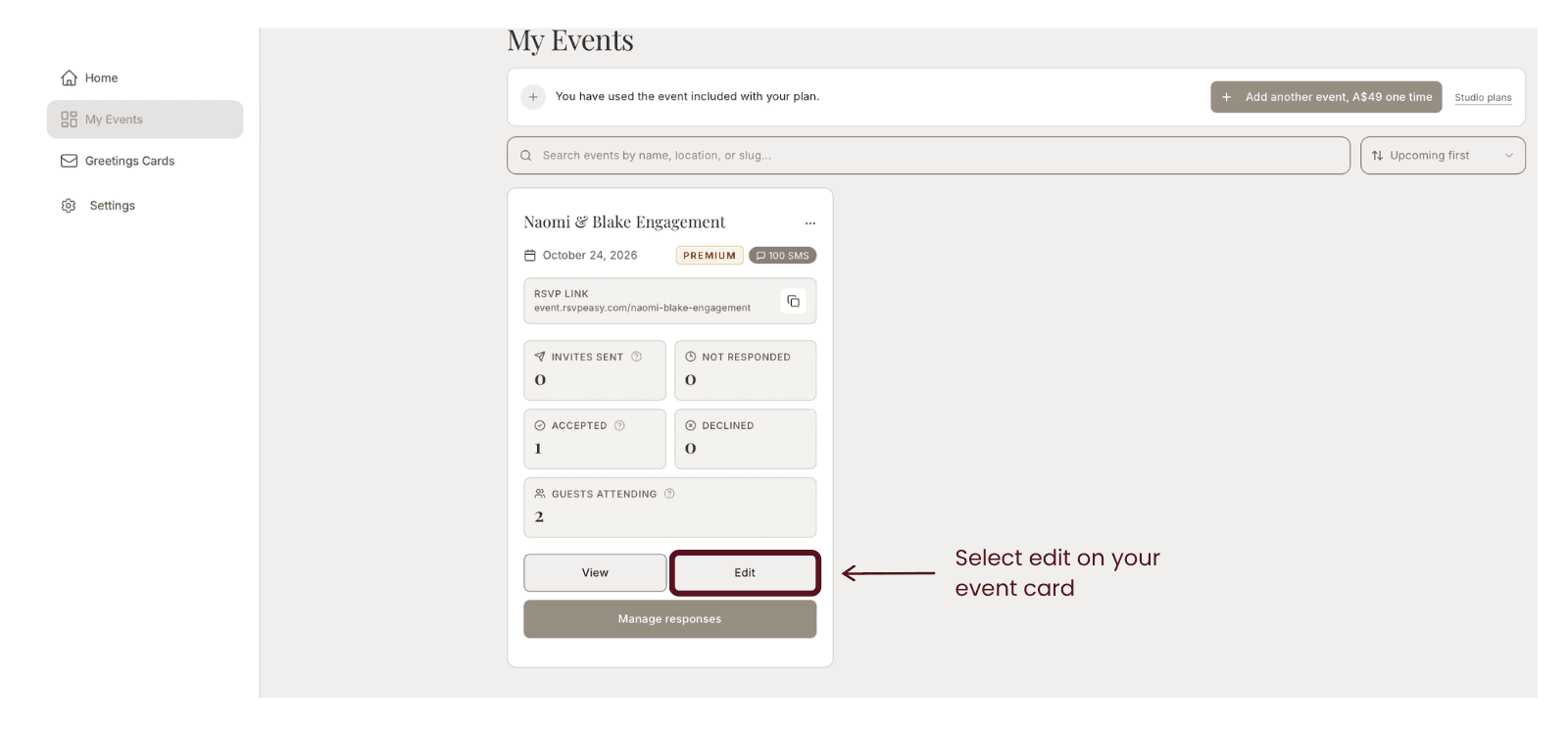
Go to My Events and find the event you want to update. Click Edit on its event card.
Choose a section to edit
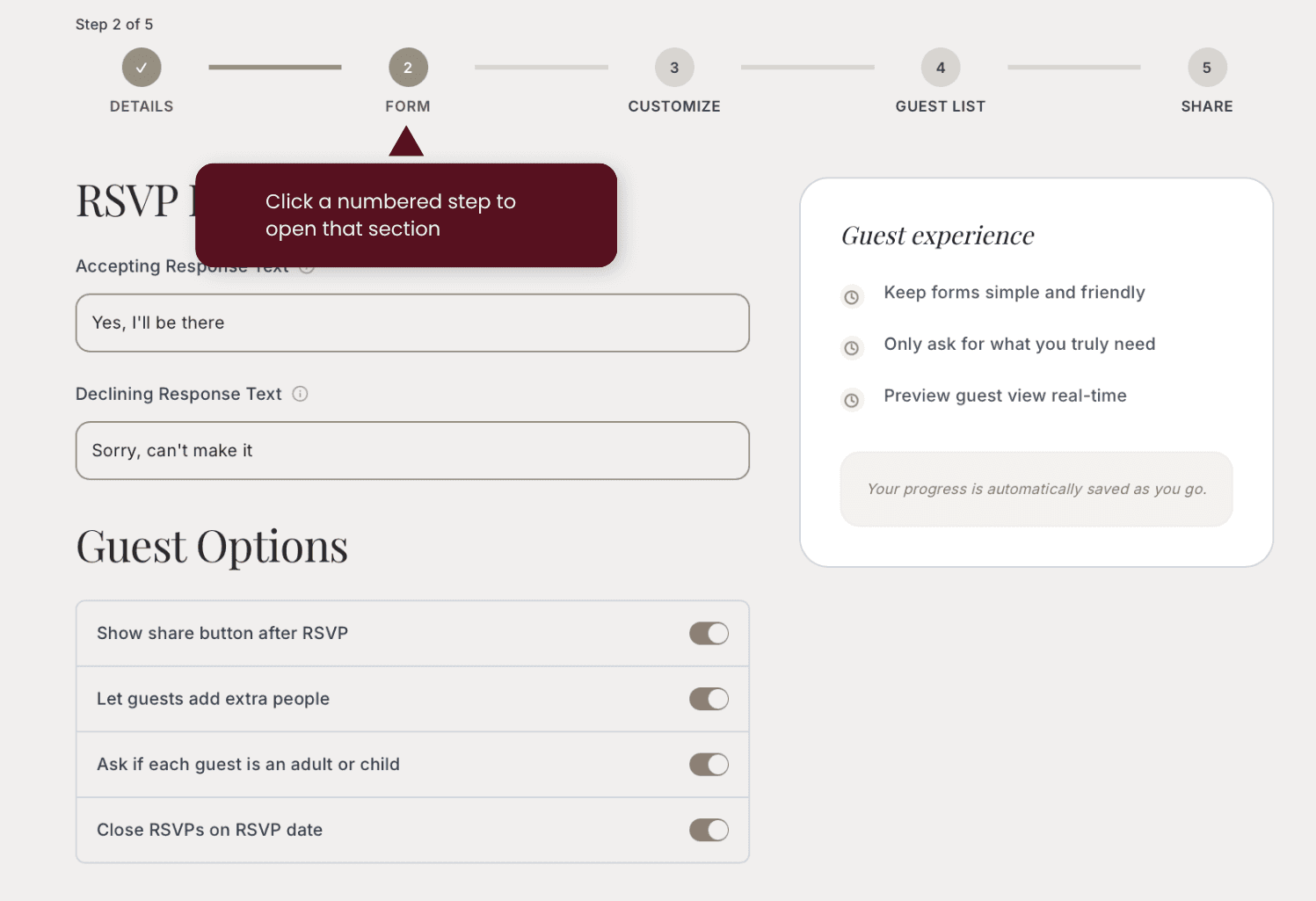
At the top of the editor, click a numbered step to open that section. You can move between Details, Form, Customize, Guest List and Share to make your changes.